Running a leaderboard with TargetAce
An organiser's guide: set a round, let members shoot it, and follow the scores.
Download this guide (PDF) Open the Organiser Console
- What a leaderboard is
- What you need
- 1. Create the leaderboard
- 2. Members shoot it
- 3. Witnessed scores
- 4. Follow the scores
- 5. What else the scores do
- Season series (Club Plus)
- If something isn't working
What a leaderboard is
A leaderboard is the simplest competition in TargetAce. You pick a round, and for as long as the leaderboard is open your members shoot it in their own time or on a club night. Each archer scores in the app, and their best score goes on the board.
There is nothing to enter and nothing to pay: a leaderboard is for your club's members only, and it is free for every club. Use one for a club night, a monthly Portsmouth, a winter league or a postal shoot within the club.
For a shoot on a date with entries, entry fees and a target list, or anything open to archers from other clubs, use an event instead. There is a separate guide for events.
What you need
- To be an organiser of your club in TargetAce, and signed in at targetace.app/console. (You can also make a leaderboard in the app, from your club's page.)
- Members need the TargetAce app, and to have joined your club in it.
1. Create the leaderboard
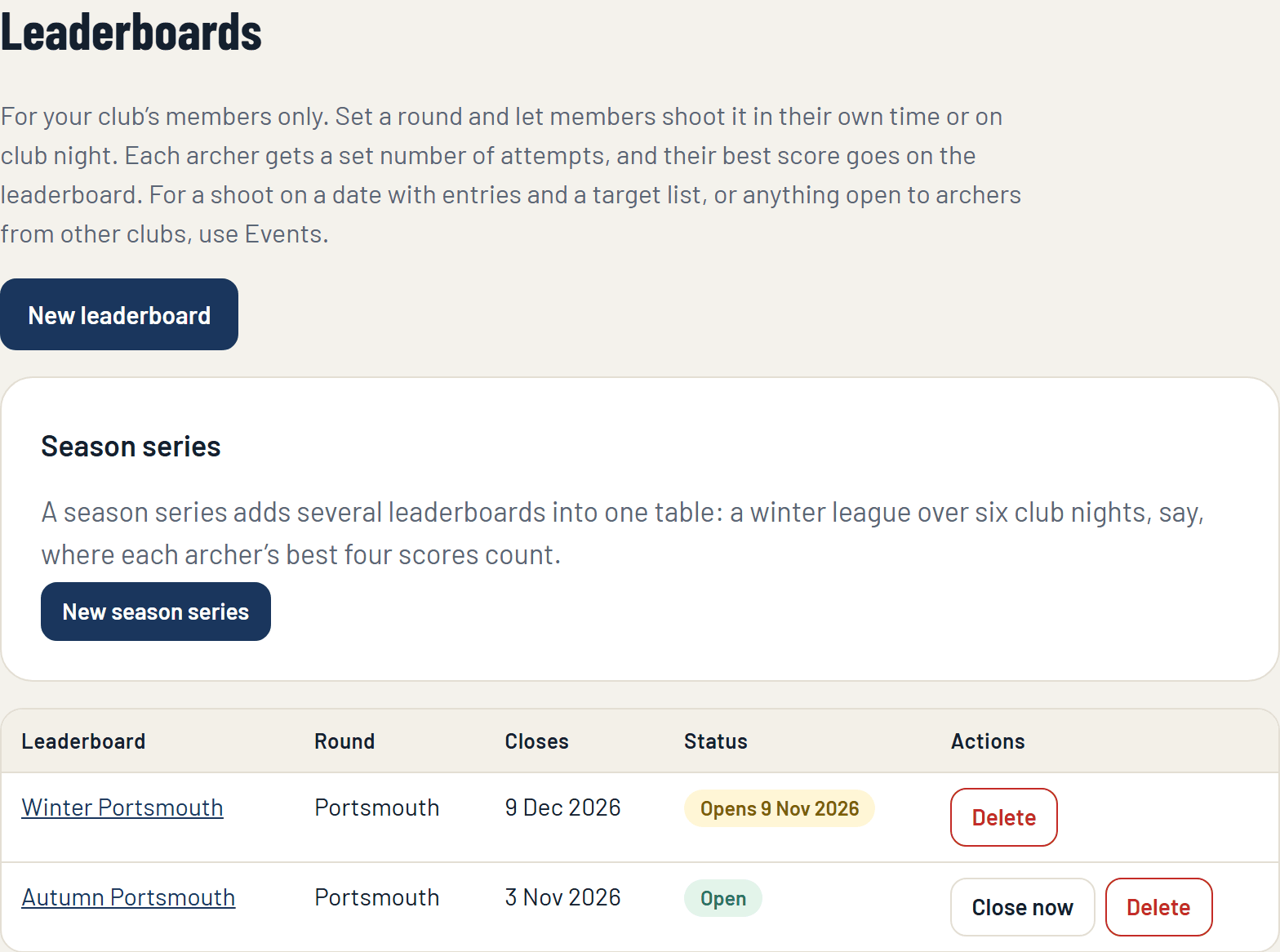
In the console, open Leaderboards on the menu, under Members' competitions, and press New leaderboard.
Fill in the form:
- Name: what members will see, for example Autumn Portsmouth.
- Round: any round in the app's list.
- Attempts each: how many times each archer may shoot it. An attempt counts from the moment it starts, so an archer cannot shoot five times and send in the best one.
- Starts on (optional): leave it empty to open the leaderboard now. With a date, members see it straight away and can shoot it from that day.
- Open for: a week, two weeks, a month, three months, or until you close it.
- Teams (optional): add a team table, where each club team's best two, three or four scores are added up. Teams are set up on the Teams page.
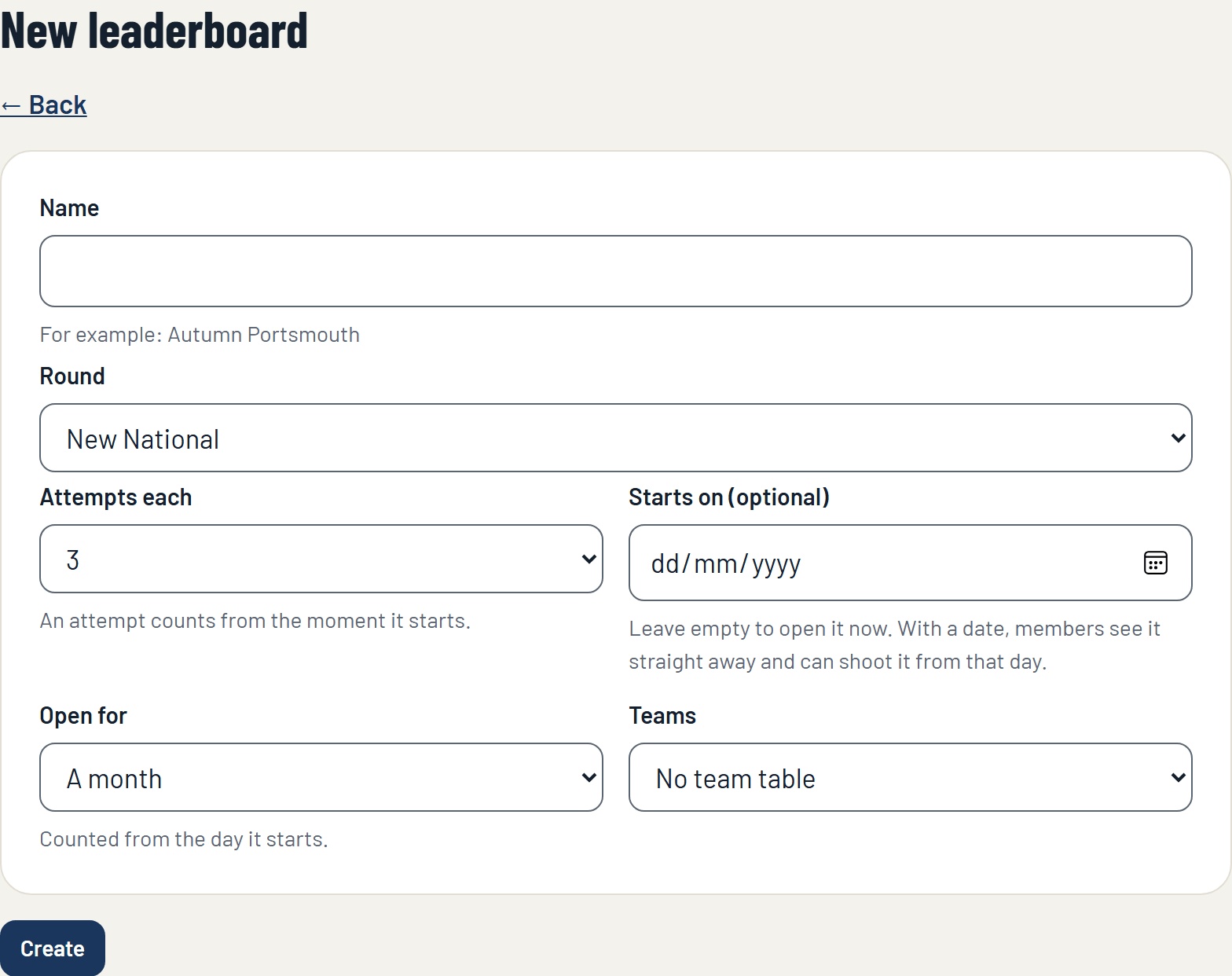
Press Create. Members can see it at once on the club's page in the app.
2. Members shoot it
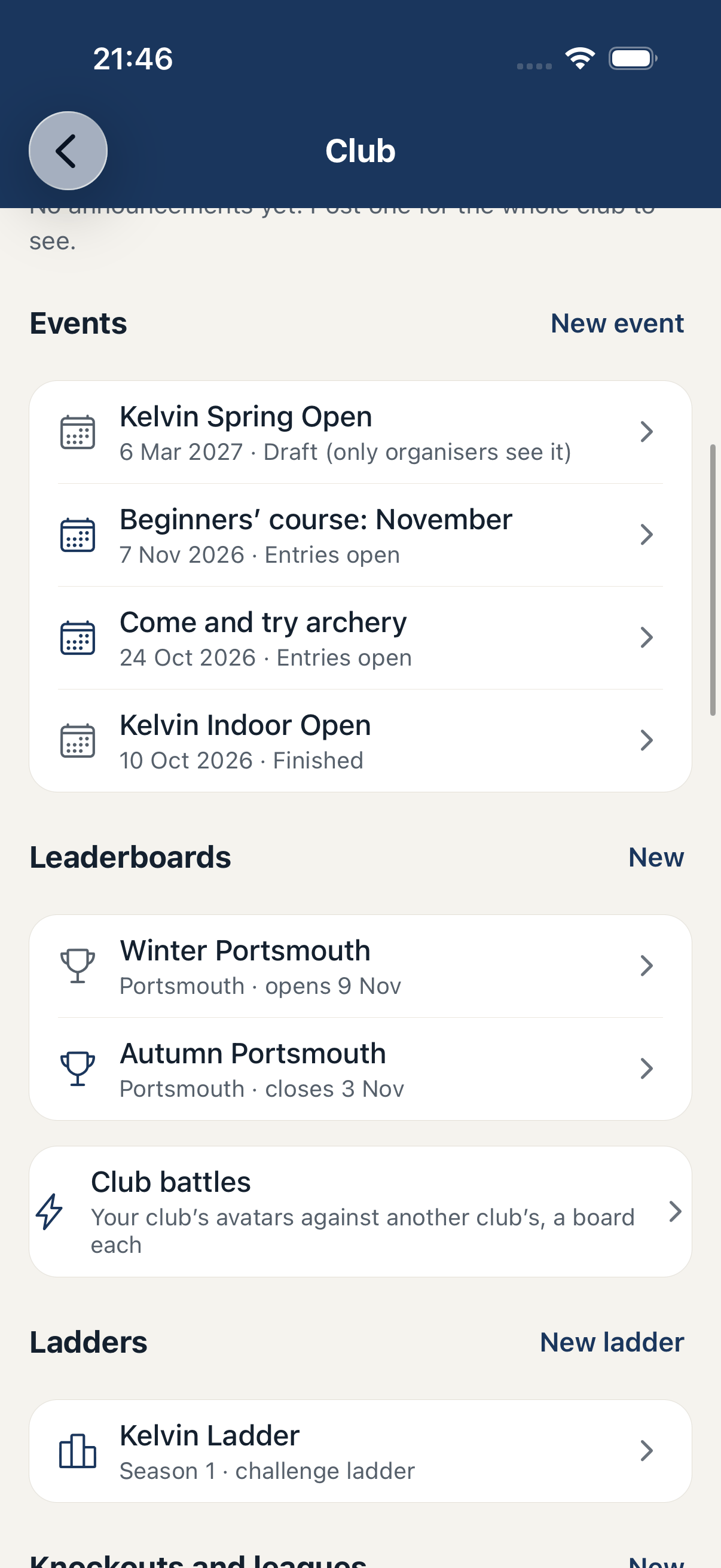
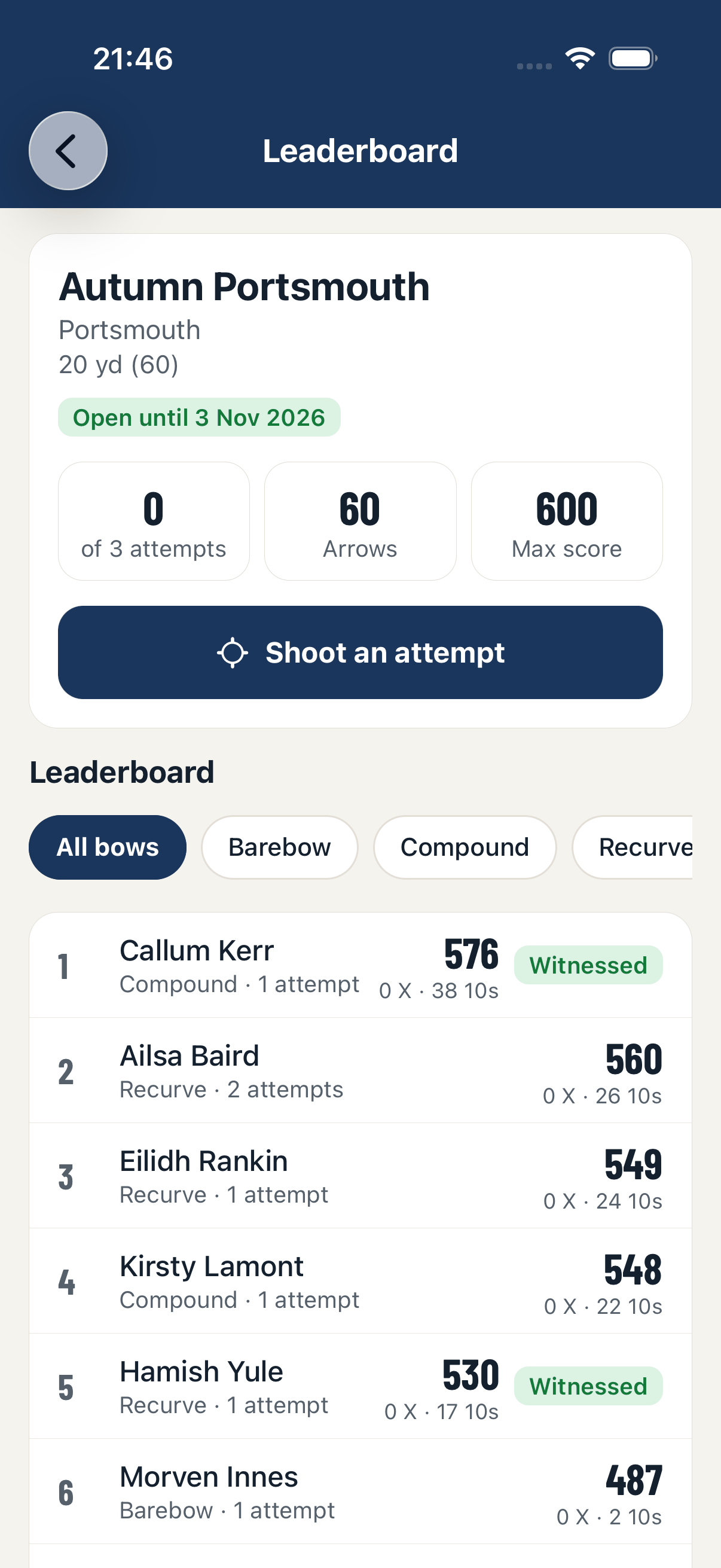
A member opens your club in the app and taps the leaderboard. They see the round, how many attempts they have left, and the board so far. To shoot, they tap Shoot an attempt and score the round in the app as they would any other.
When the round is finished the score is sent in. TargetAce checks every arrow against the round, and works out the total itself.
- The board shows each archer's best attempt. Ties go to more Xs, then more 10s.
- Members can filter the board by bow style.
3. Witnessed scores
A score on a leaderboard is entered by the archer on their own phone. A clubmate who shot with them can witness it: in the app they tap the score and confirm they were there, as they would sign a paper score sheet. The board marks the score as witnessed.
Witnessing is optional for a leaderboard. It matters where a score counts for something more: witnessed scores are the ones that count towards TargetAce titles, and your club awards can ask for them.
4. Follow the scores
Open the leaderboard in the console to see the board: every archer's best score, their Xs and 10s, and how many attempts they have used.
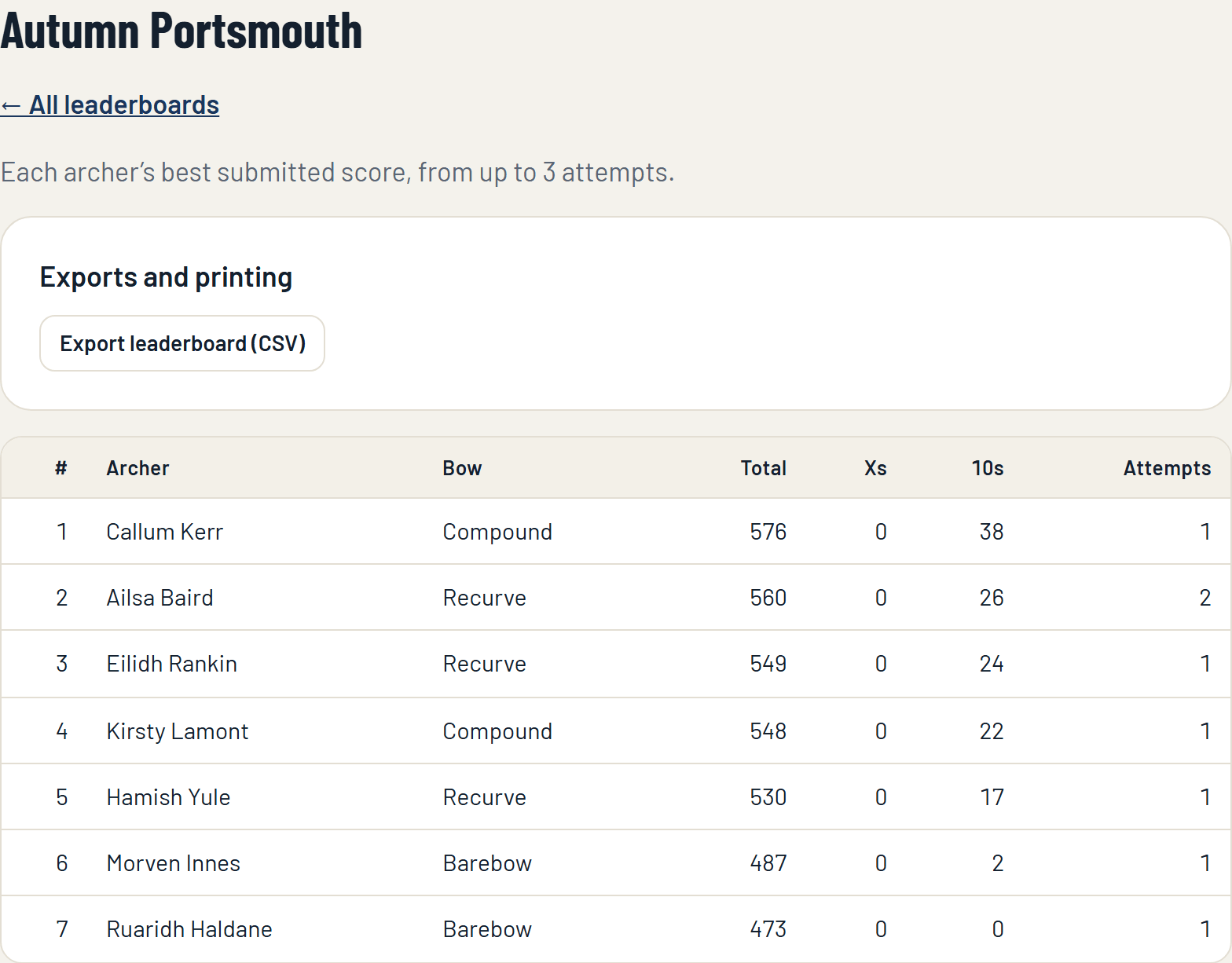
From the Leaderboards page you can also:
- Close now: stop it early. No more scores can be sent, and the board stays.
- Delete: remove the leaderboard and its scores. This cannot be undone.
- Export leaderboard (Club Plus): the board as a spreadsheet.
A leaderboard closes by itself at the end of the time you gave it.
5. What else the scores do
- Club records: if your club keeps records in TargetAce and counts leaderboards, a score that beats a record is proposed for confirming.
- Club awards: if your club runs award schemes (the 252, say), leaderboard scores count towards them.
- Your website: your club's page on targetace.app, and the widgets for your own website, can show your leaderboards live.
Season series (Club Plus)
A season series adds several leaderboards into one table: a winter league over six club nights, for example, where each archer's best four scores count. Make the leaderboards first, then press New season series on the Leaderboards page and tick the ones that belong to it.
- Best scores to count: each archer's best score on each leaderboard counts once. Type 4 to add up their best four, or 0 to add up all of them.
- Add up scores, or rank by handicap: rank by handicap when the leaderboards are different rounds, or when bow styles shoot together. Each score becomes the Archery GB handicap it is worth, the best ones are averaged, and the lowest wins.
If something isn't working
- A member can't see the leaderboard. They need to have joined your club in the app. Give them the club's invite code from Club settings.
- "This competition hasn't opened yet." The leaderboard has a start date that has not come.
- An archer has used all their attempts. An attempt counts from the moment it starts, even if the round is abandoned. Make a new leaderboard if you want to give everyone more.
Still stuck? Email [email protected].