Running a ladder with TargetAce
An organiser's guide: set the ladder up, and let the challenges run themselves.
Download this guide (PDF) Open the Organiser Console
- What a ladder is
- What you need
- 1. Create the ladder
- 2. Members join
- 3. Challenges and matches
- 4. What an organiser can do
- 5. On your website
- If something isn't working
What a ladder is
A ladder is a standing ranking of your members. An archer challenges someone above them to a head-to-head match, they shoot it together in the app, and the result moves them up or down. Once it is set up a ladder needs very little from you: the app handles the challenges, the matches and the standings.
A ladder is for your club's members only. Ladders are free for every club; a club on the free plan can run two at a time with up to 24 archers on each, and Club Plus removes those limits.
What you need
- To be an organiser of your club in TargetAce, and signed in at targetace.app/console. (You can also make a ladder in the app, from your club's page.)
- Members need the TargetAce app, and to have joined your club in it.
1. Create the ladder
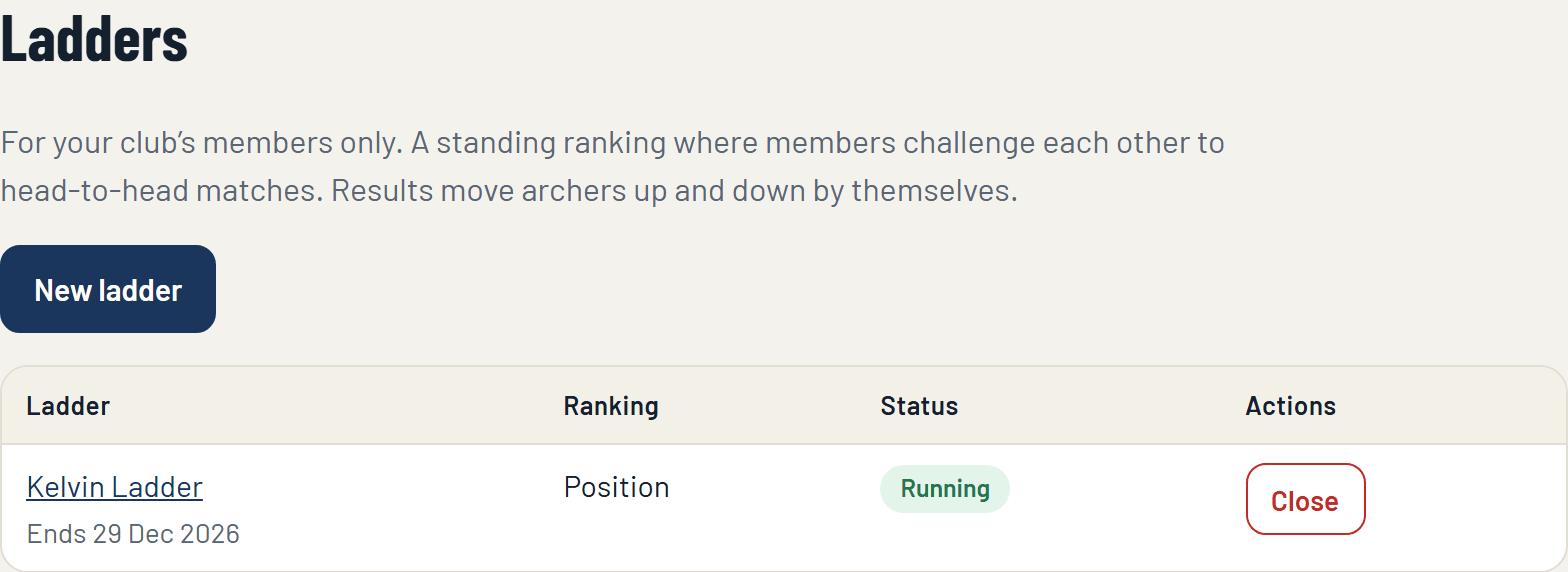
In the console, open Ladders on the menu, under Members' competitions, and press New ladder.
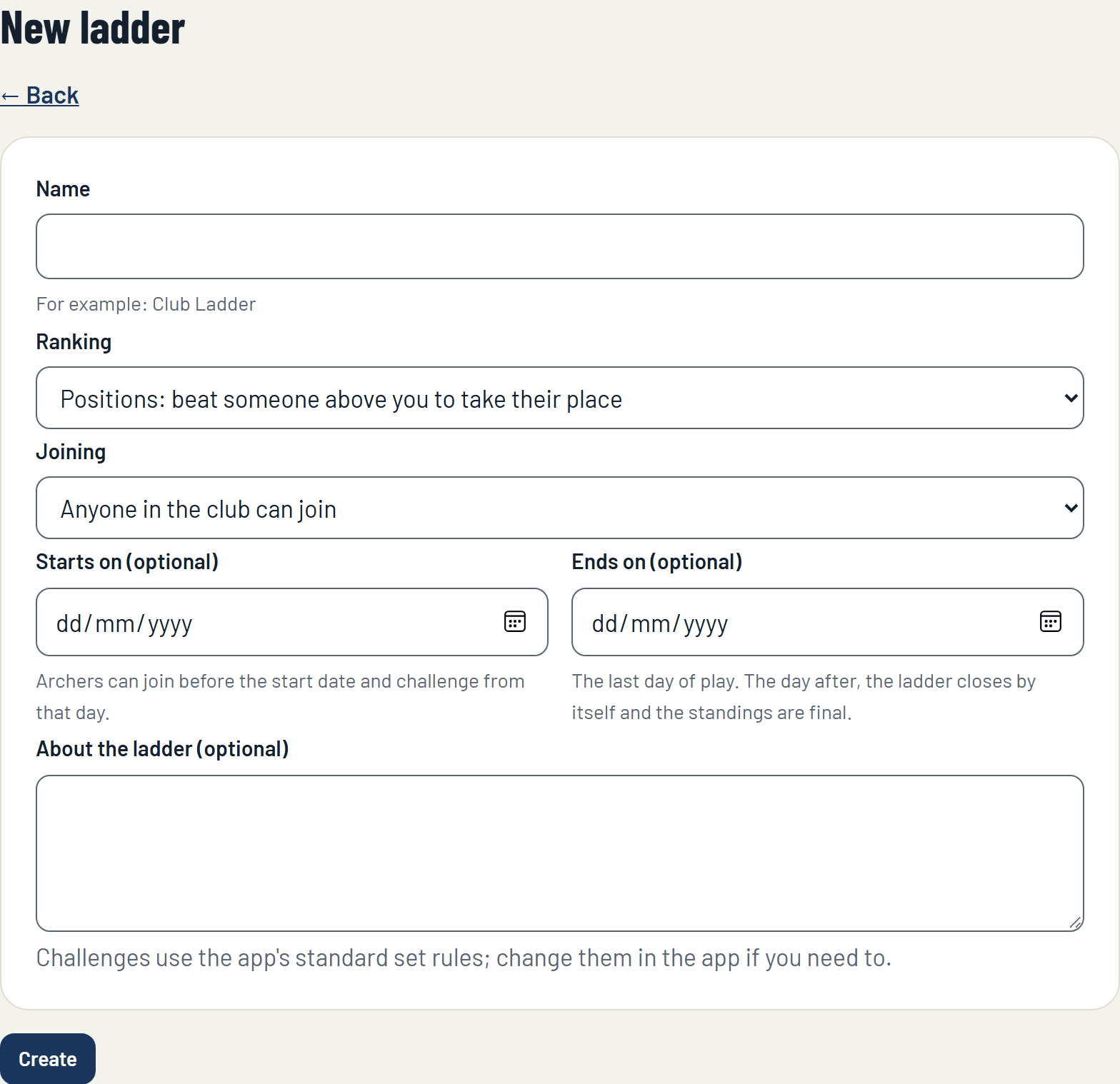
Fill in the form:
- Name: for example Club Ladder.
- Ranking: Positions, where beating someone above you takes their place; or Rating, where every archer has a rating that goes up or down after each match.
- Joining: anyone in the club can join, or an organiser approves each archer.
- Starts on (optional): archers can join before the start date, and challenge from that day.
- Ends on (optional): the last day of play. The day after, the ladder closes by itself and the standings are final.
- About the ladder: anything members should know.
Press Create. Members can join it in the app straight away.
2. Members join
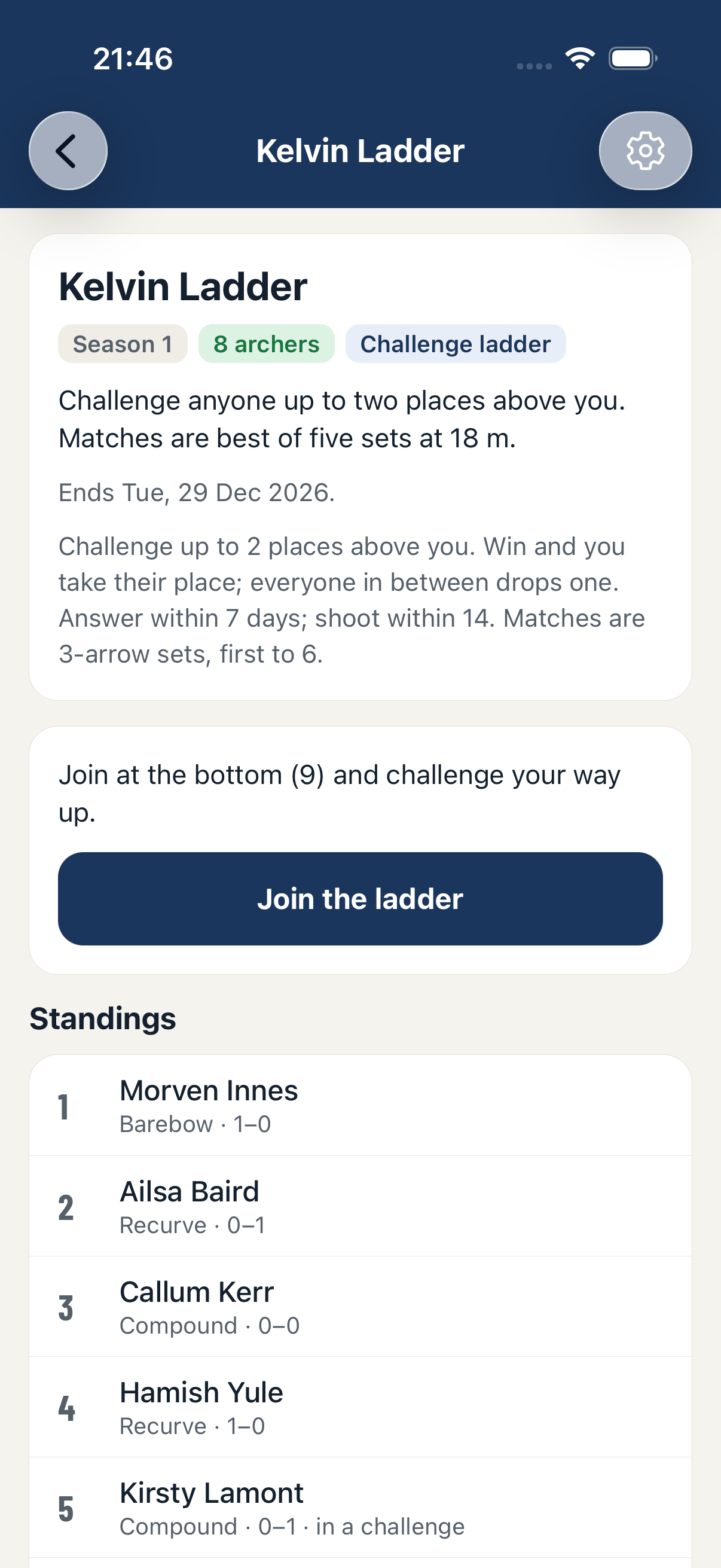
A member opens your club in the app, taps the ladder and presses Join the ladder. They join at the bottom. If you chose approval, they ask to join and you let them in (or decline) on the ladder's page in the console.
3. Challenges and matches
On a ladder ranked by positions:
- An archer can challenge someone up to three places above them. (The number of places can be changed in the app, in the ladder's settings.)
- The archer challenged has 7 days to answer. If they accept, the two have 14 days to shoot the match.
- Each archer has one challenge on the go at a time.
- The match is shot head to head in the app, in sets, both archers scoring on their own phones. Either of them starts it from the ladder when they are both ready.
- The winner of a challenge takes the other archer's place, and everyone in between drops one place. If the challenger loses, nothing moves.
Both archers are told on their phones when a challenge is made, when it is answered, and when the match has been started.
If one archer starts a match and the other never joins it, the match is called off after an hour and can be started again. It cannot be claimed as a win.
4. What an organiser can do
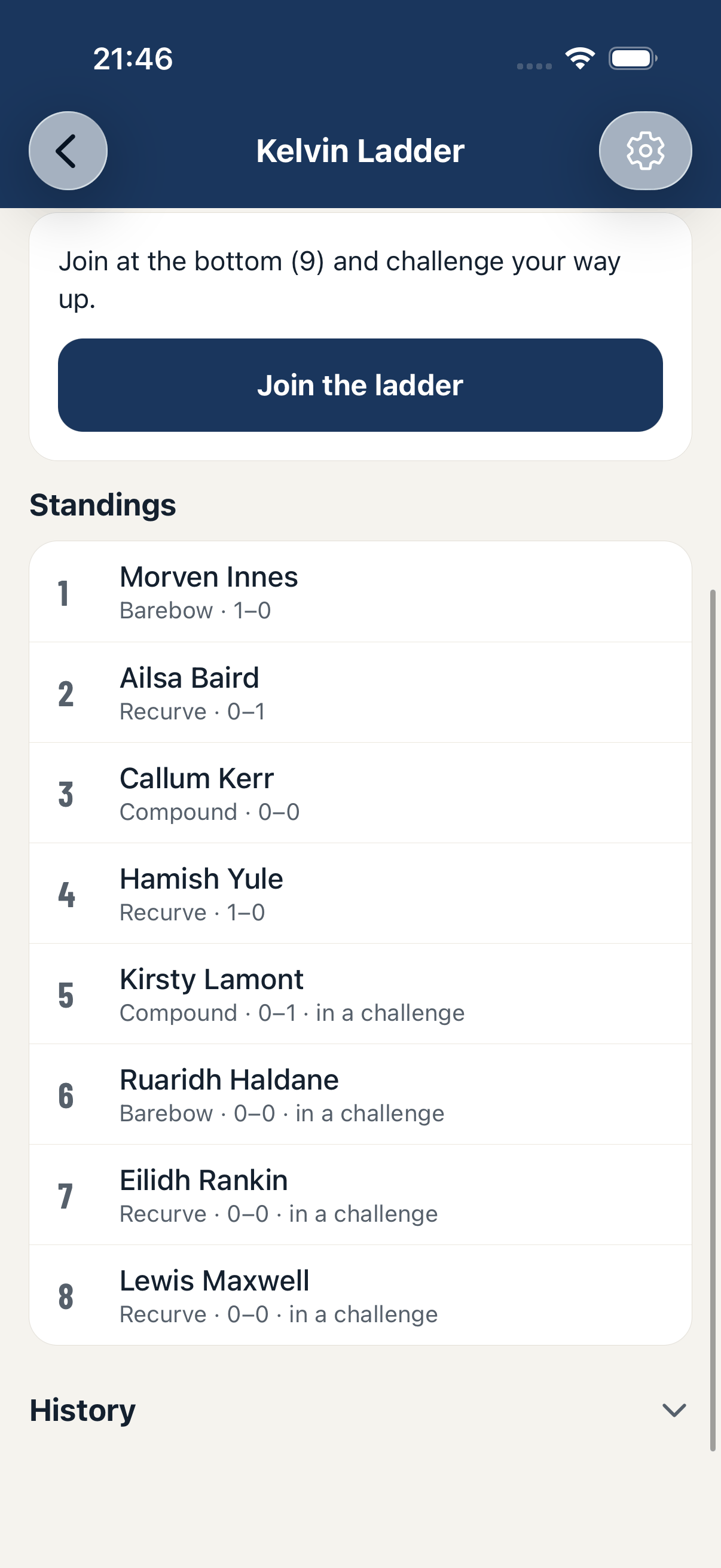
Open the ladder in the console to see the standings, with each archer's matches played, won, lost and drawn.
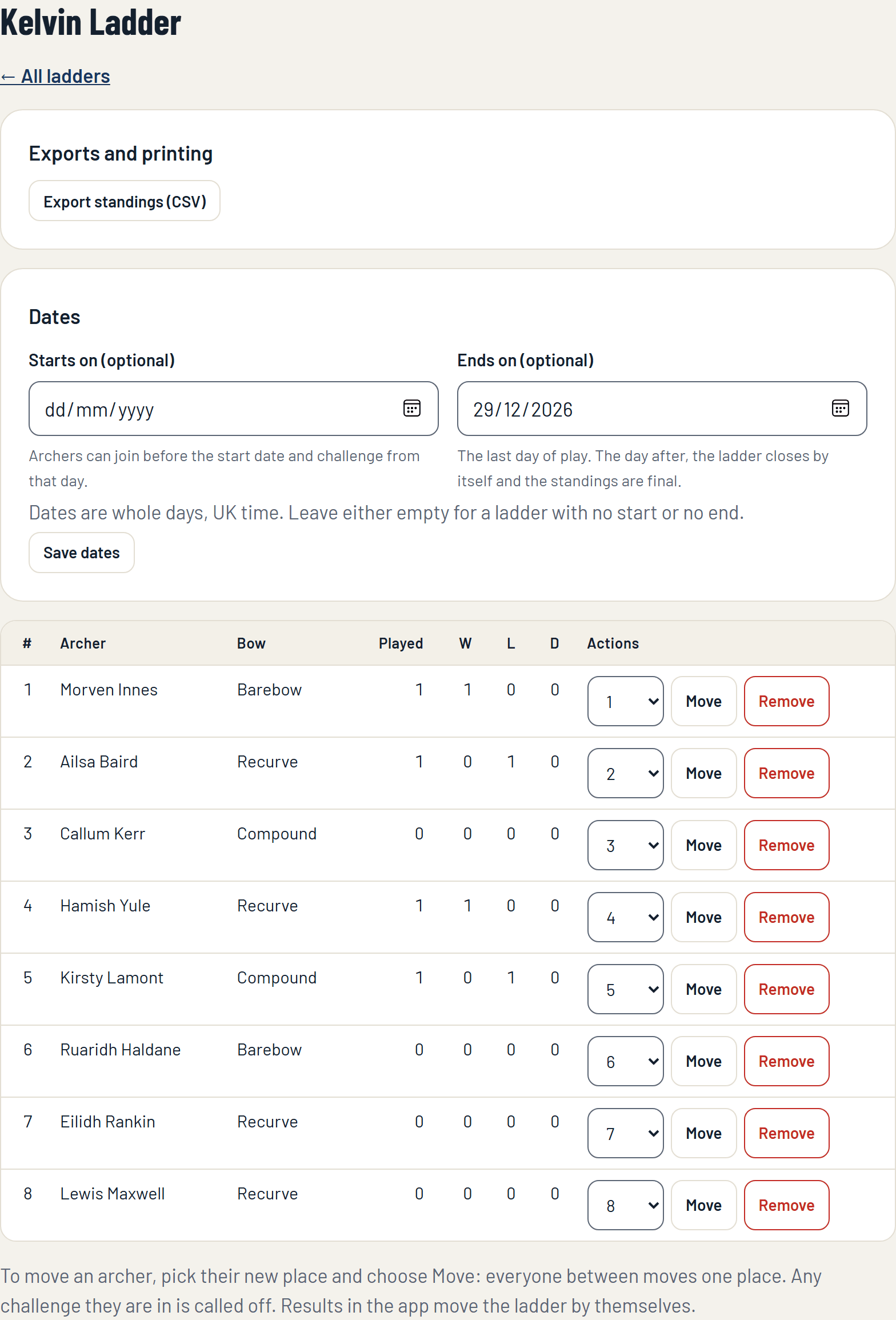
- Move an archer to another place: pick the place and press Move. Everyone between moves one place, and any challenge the archer is in is called off. Use it to seed the ladder at the start, or to put someone back after time away.
- Remove an archer from the ladder.
- Let in or decline archers asking to join, where the ladder needs approval.
- Change the dates: set, move or clear the start and end dates.
- Export standings (Club Plus): the ladder as a spreadsheet.
From the Ladders page you can also close a ladder: open challenges are cancelled and the standings become final. A new season, a fresh ladder with the same rules that can keep the archers in their final order, is started from the ladder in the app.
5. On your website
Your club's page on targetace.app, and the widgets for your own website, can show the ladder's standings live.
If something isn't working
- A member can't challenge anyone. They may already have a challenge on the go, the archer they want may be more than three places above them, or that archer may already be in a challenge.
- A challenge has gone quiet. A challenge that is not answered in 7 days, or not shot within 14 days of being accepted, lapses by itself and both archers are free to challenge again.
- The ladder says "upcoming". It has a start date that has not come. Archers can join now and challenge from that day.
Still stuck? Email [email protected].