Running a knockout or a league with TargetAce
An organiser's guide: take entries, make the draw, and follow the matches.
Download this guide (PDF) Open the Organiser Console
- What they are
- What you need
- 1. Create it
- 2. Take entries
- 3. How the draw and the fixtures are made
- 4. Matches
- 5. Follow it
- 6. On your website
- If something isn't working
What they are
Knockouts and leagues are head-to-head tournaments for your club's members. Archers enter in the app, TargetAce makes the draw or the fixtures, and each match is shot between two archers in the app.
- A knockout is a bracket: win and you go through, lose and you are out. It ends with a final, and a bronze medal match if you want one.
- A league is everyone against everyone, once or twice, with a table.
Both are free for every club; a club on the free plan can run two at a time with up to 16 archers in each, and Club Plus removes those limits. Up to 64 archers can take part in one.
What you need
- To be an organiser of your club in TargetAce, and signed in at targetace.app/console. (You can also make one in the app, from your club's page.)
- Members need the TargetAce app, and to have joined your club in it.
1. Create it
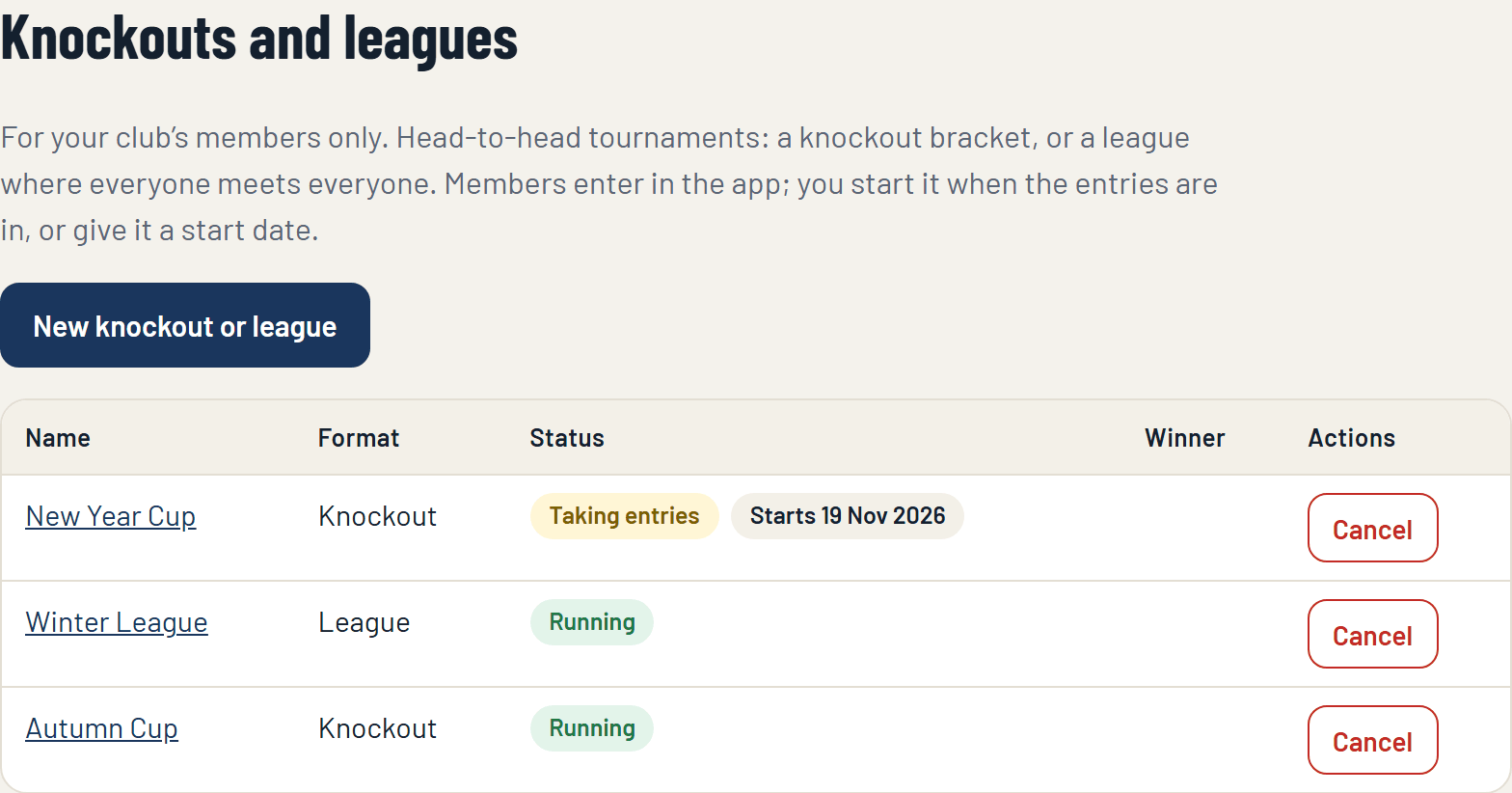
In the console, open Knockouts and leagues on the menu, under Members' competitions, and press New knockout or league.
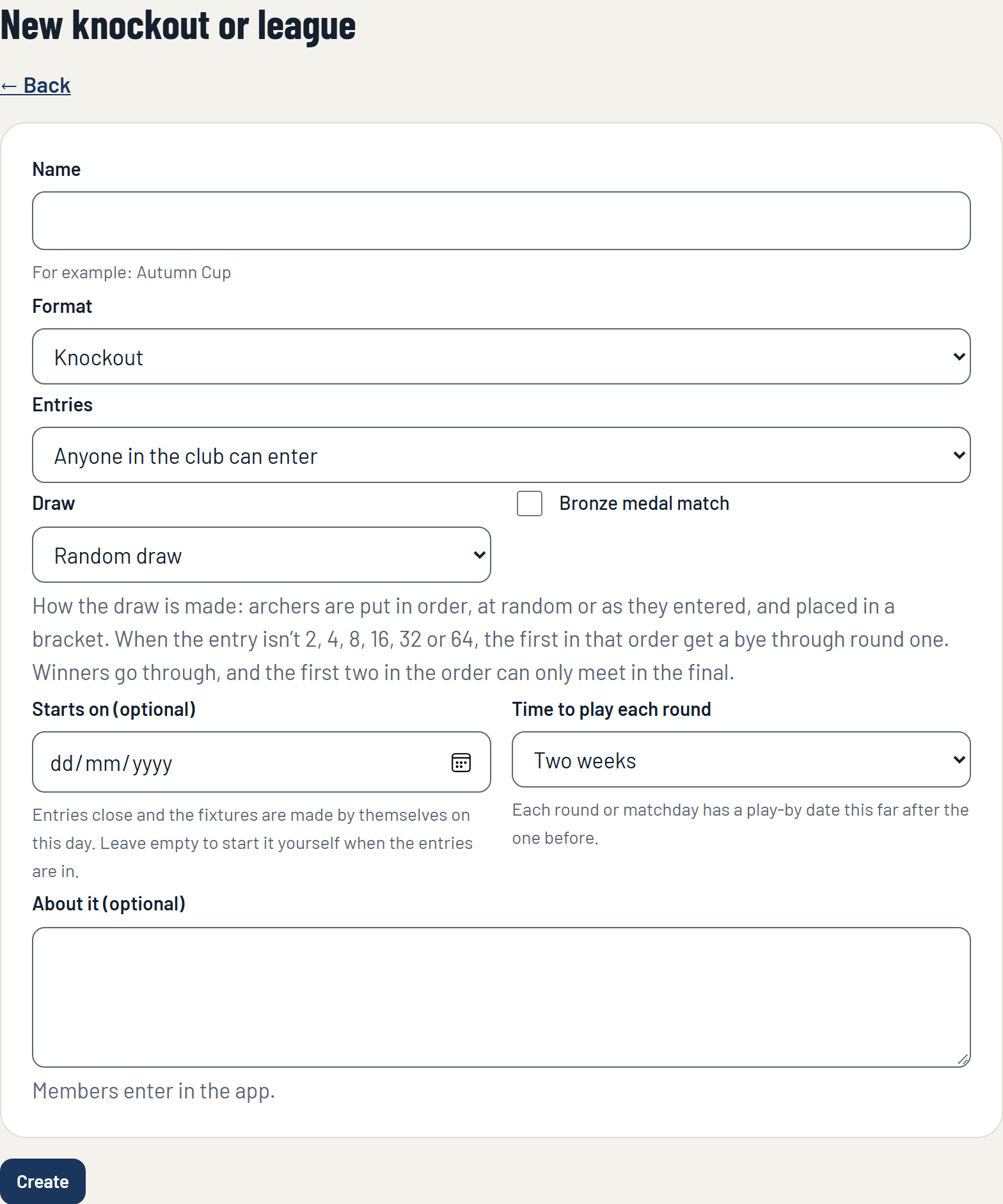
Fill in the form:
- Name: for example Autumn Cup.
- Format: Knockout, or League (everyone plays everyone).
- Entries: anyone in the club can enter, or an organiser approves each entry.
- For a knockout, the Draw: at random, or in the order archers entered. And whether there is a bronze medal match.
- For a league, whether everyone plays everyone once or twice.
- Starts on (optional): on this day entries close and the fixtures are made by themselves. Leave it empty to start it yourself when the entries are in.
- Time to play each round: each round or matchday has a play-by date this far after the one before.
Press Create. It is now taking entries.
2. Take entries
Members open your club in the app, tap the knockout or league and enter. Its page in the console lists who has entered.
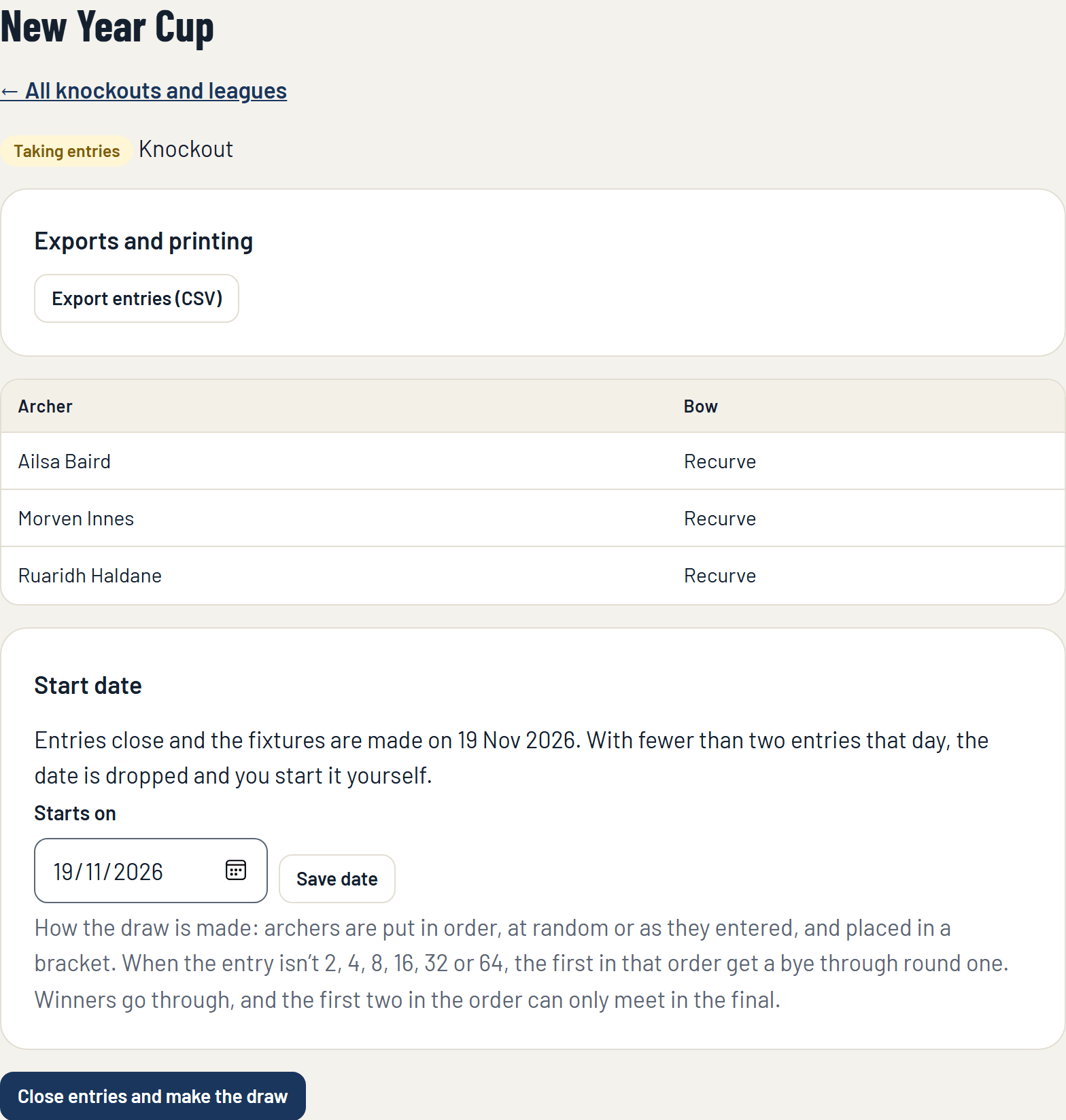
When the entries are in, press Close entries and make the draw (or, for a league, make the fixtures). If you gave it a start date this happens by itself on that day. With fewer than two entries on the day, the date is dropped and you start it yourself later.
Starting it cannot be undone, and nobody can enter afterwards.
3. How the draw and the fixtures are made
A knockout. Archers are put in order, at random or as they entered, and placed in a bracket. When the entry is not 2, 4, 8, 16, 32 or 64, the first in that order get a bye through round one. The first two in the order can only meet in the final.
A league. Everyone meets everyone, arranged into matchdays so that each archer has one match a matchday. With an odd number of archers, one rests each matchday. Played twice, the second half repeats the first with the sides swapped.
Every round or matchday has a play-by date.
4. Matches
A match is shot head to head in the app, in sets, both archers scoring on their own phones. Either archer starts it from the knockout or league's page in the app when they are both ready, and the result is recorded when the match ends.
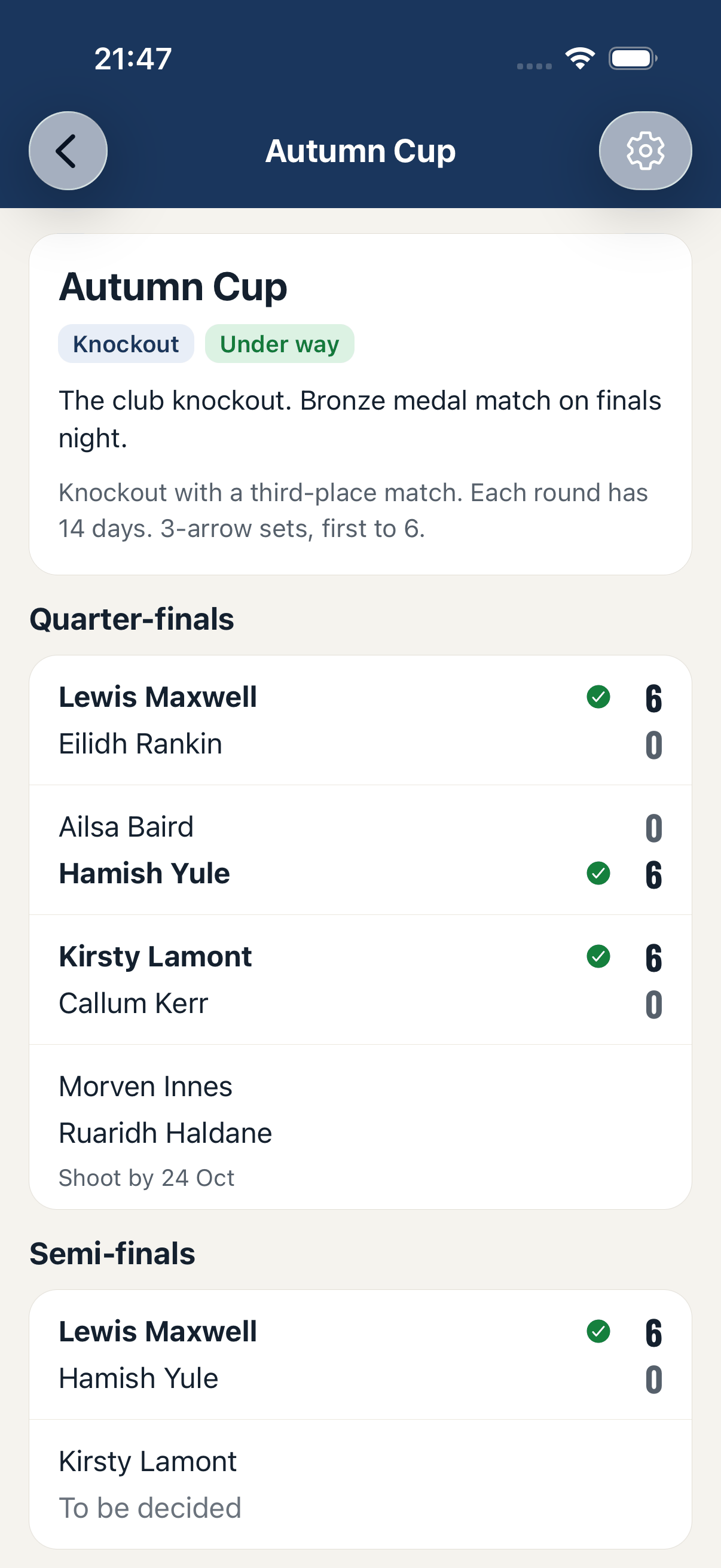
- A knockout match cannot end level: a tie goes to a shoot-off.
- In a league a win is worth 3 points, a draw 1 and a loss 0. The table is ordered by points, then wins, then sets won and lost.
- An archer who withdraws gives their remaining opponents a walkover, so nothing gets stuck.
- An organiser can decide a match that cannot be shot, as a walkover, from the match in the app.
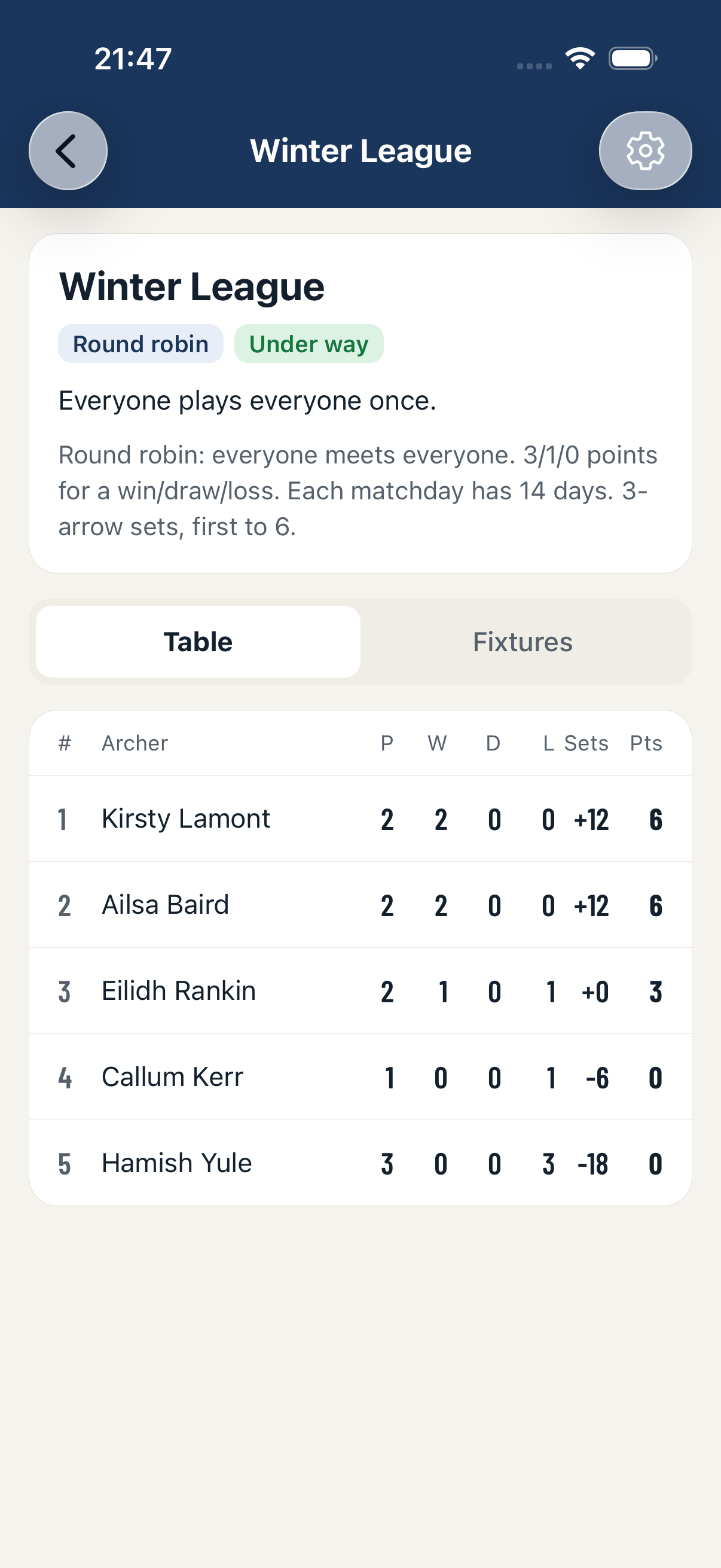
If one archer starts a match and the other never joins it, the match is called off after an hour and can be started again. It cannot be claimed as a win.
5. Follow it
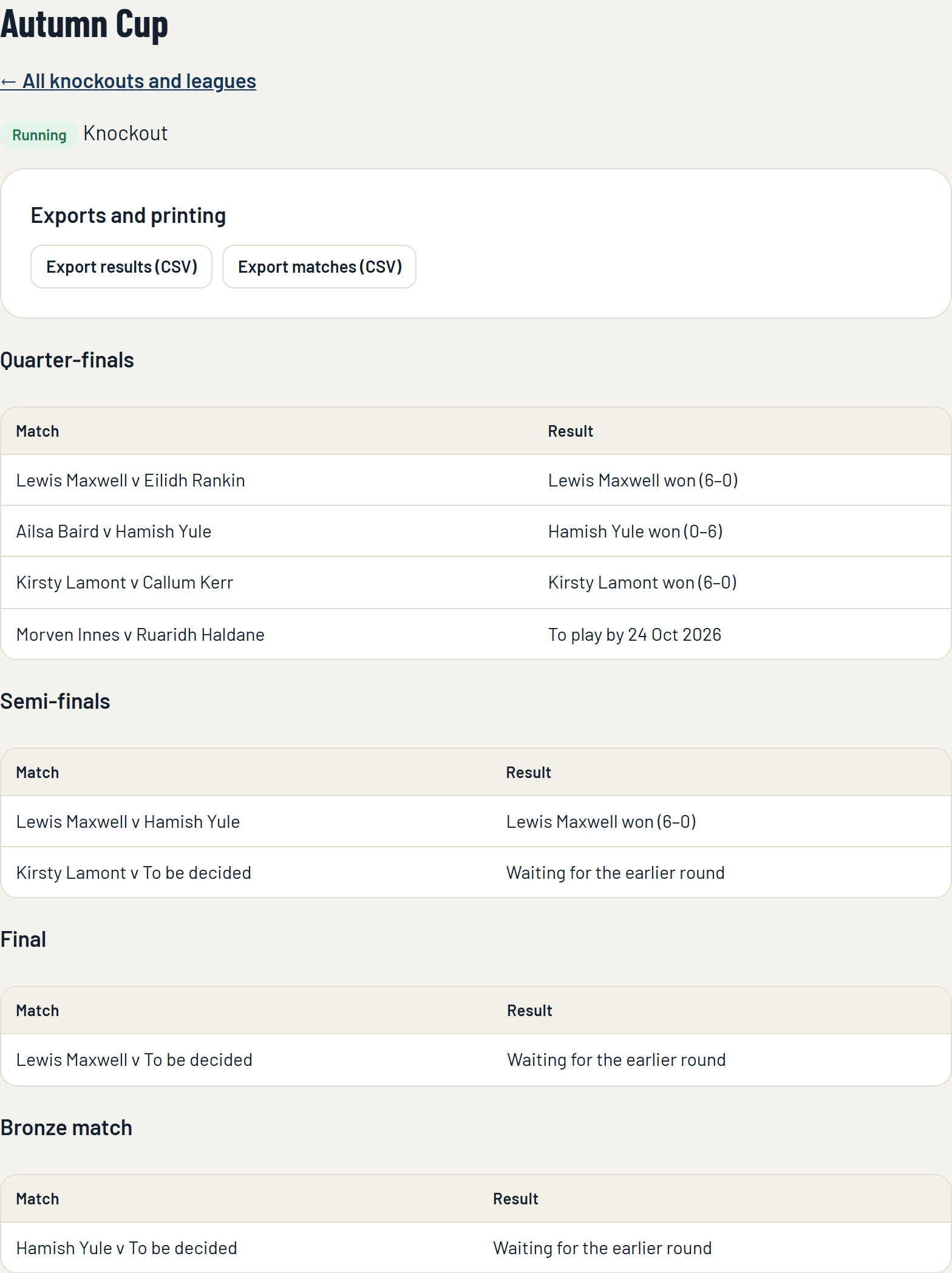
The knockout or league's page in the console shows every round, with each match's result or its play-by date.
A league's page has its table as well.
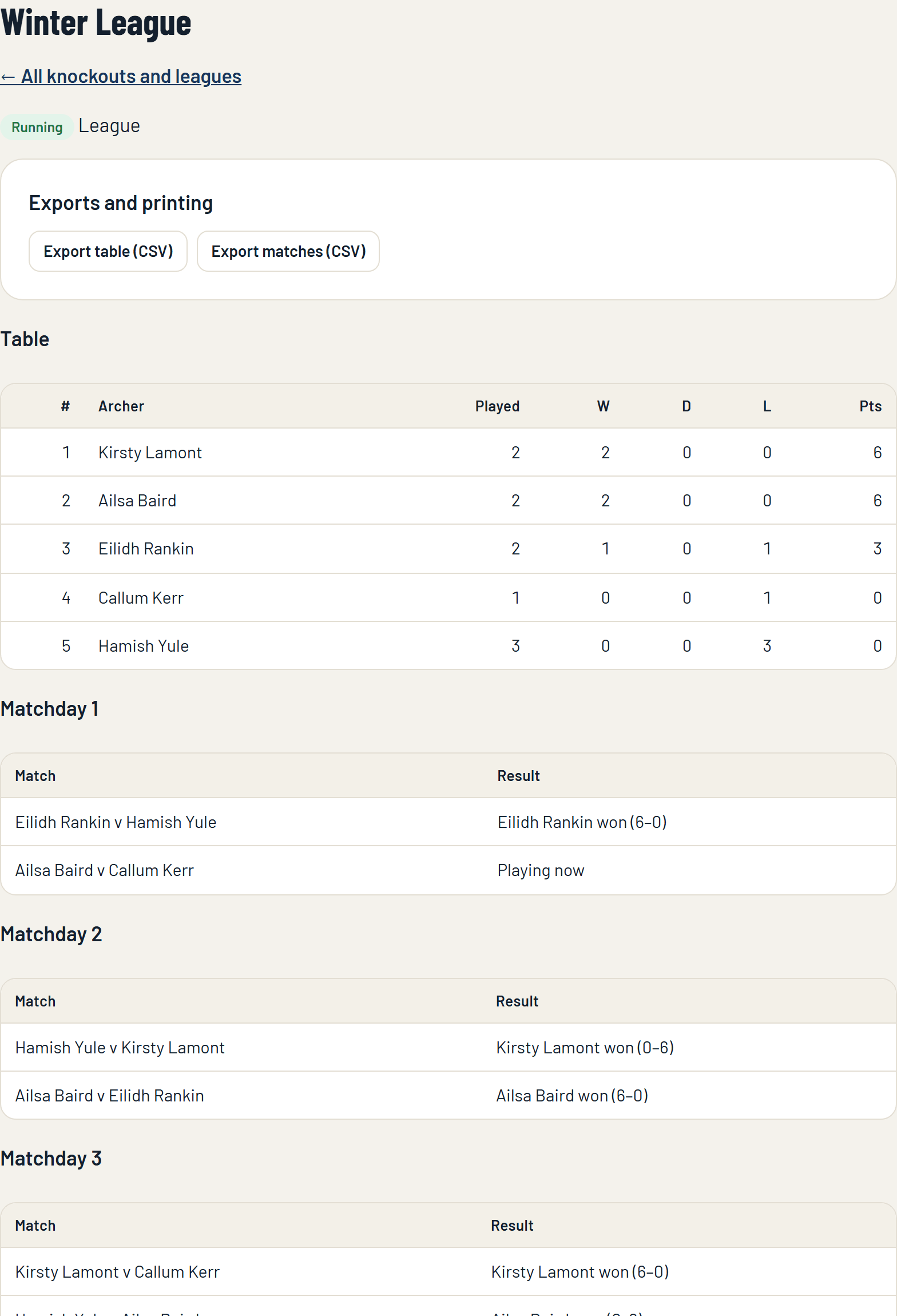
- Export results or the league table, and Export matches (Club Plus): spreadsheets of the standings and of every match.
- Cancel: stops it. Matches not yet played are void. This cannot be undone.
When the last match is played the winner is shown on the Knockouts and leagues page, and on the club's page in the app.
6. On your website
Your club's page on targetace.app, and the widgets for your own website, can show the bracket or the table live.
If something isn't working
- A member can't enter. It may already have started, or (on the free plan) be full at 16 archers.
- A match is past its play-by date. Nothing happens by itself: remind the two archers, or decide the match as a walkover in the app.
- The start date passed and nothing was drawn. There were fewer than two entries that day, so the date was dropped. Start it yourself when the entries are in.
Still stuck? Email [email protected].